Sync on your schedule
Run a connector now, pause it, or choose a repeating interval or daily time.
Celorga is a local-first workspace for running work with people and agents from files you control. It keeps the source behind a decision, delegates work with bounded context, brings back the decisions that need you, and records the finished result in plain-text Org files.
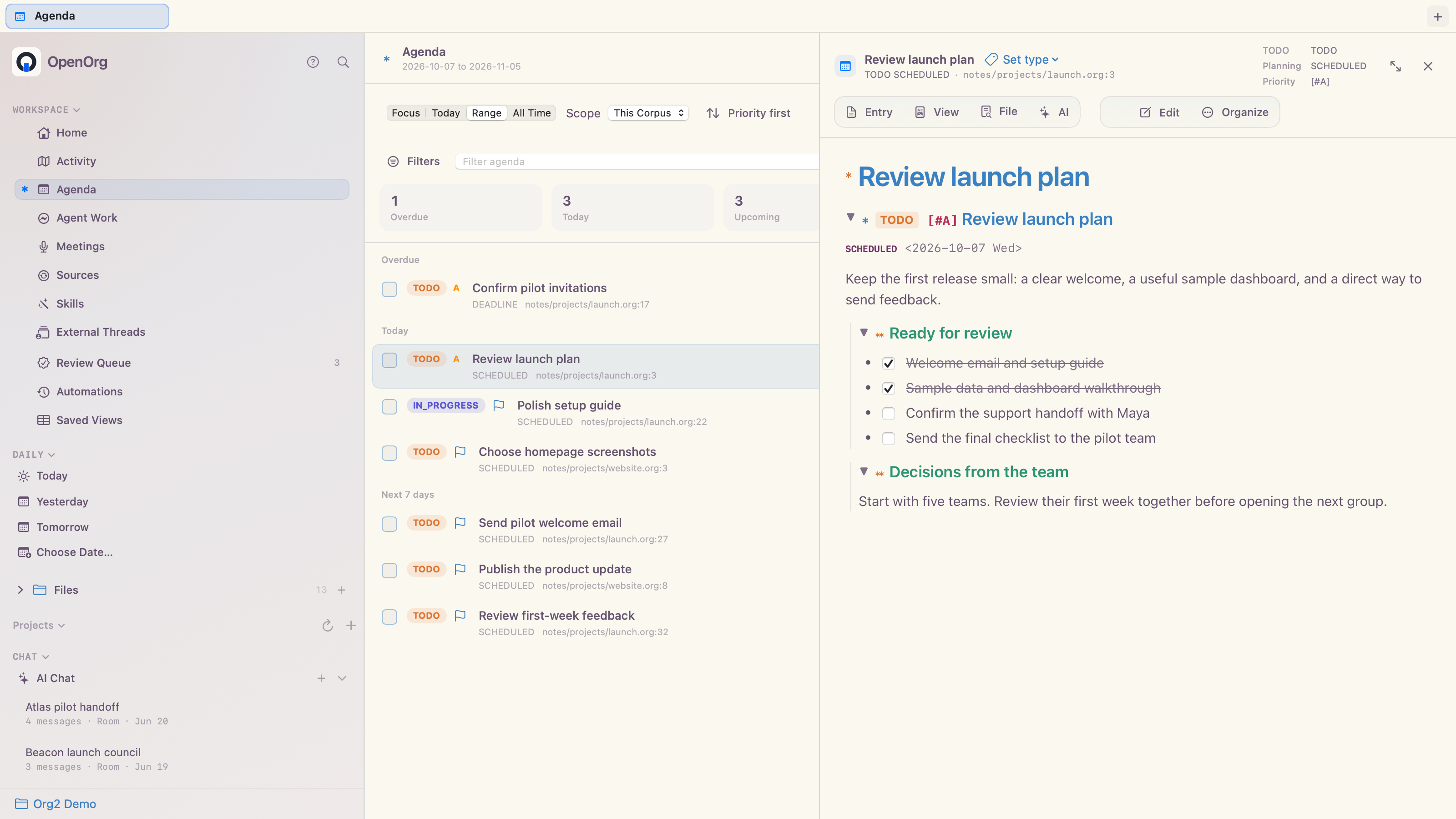
TODO state, schedules, deadlines, priorities, effort, tags, IDs, aliases, and links are readable in the note. Celorga turns them into focused agenda views and useful context around whatever you are working on.
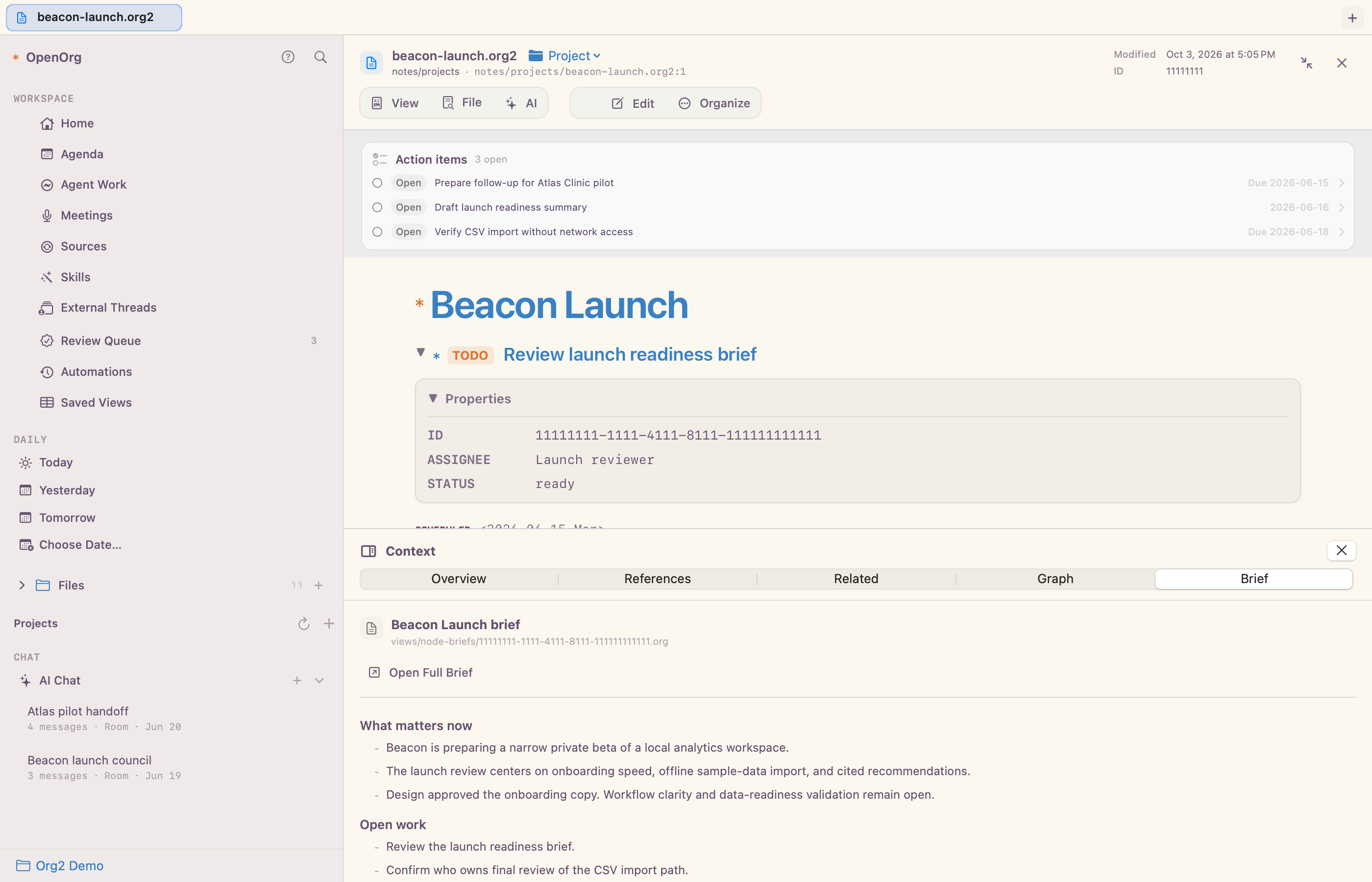
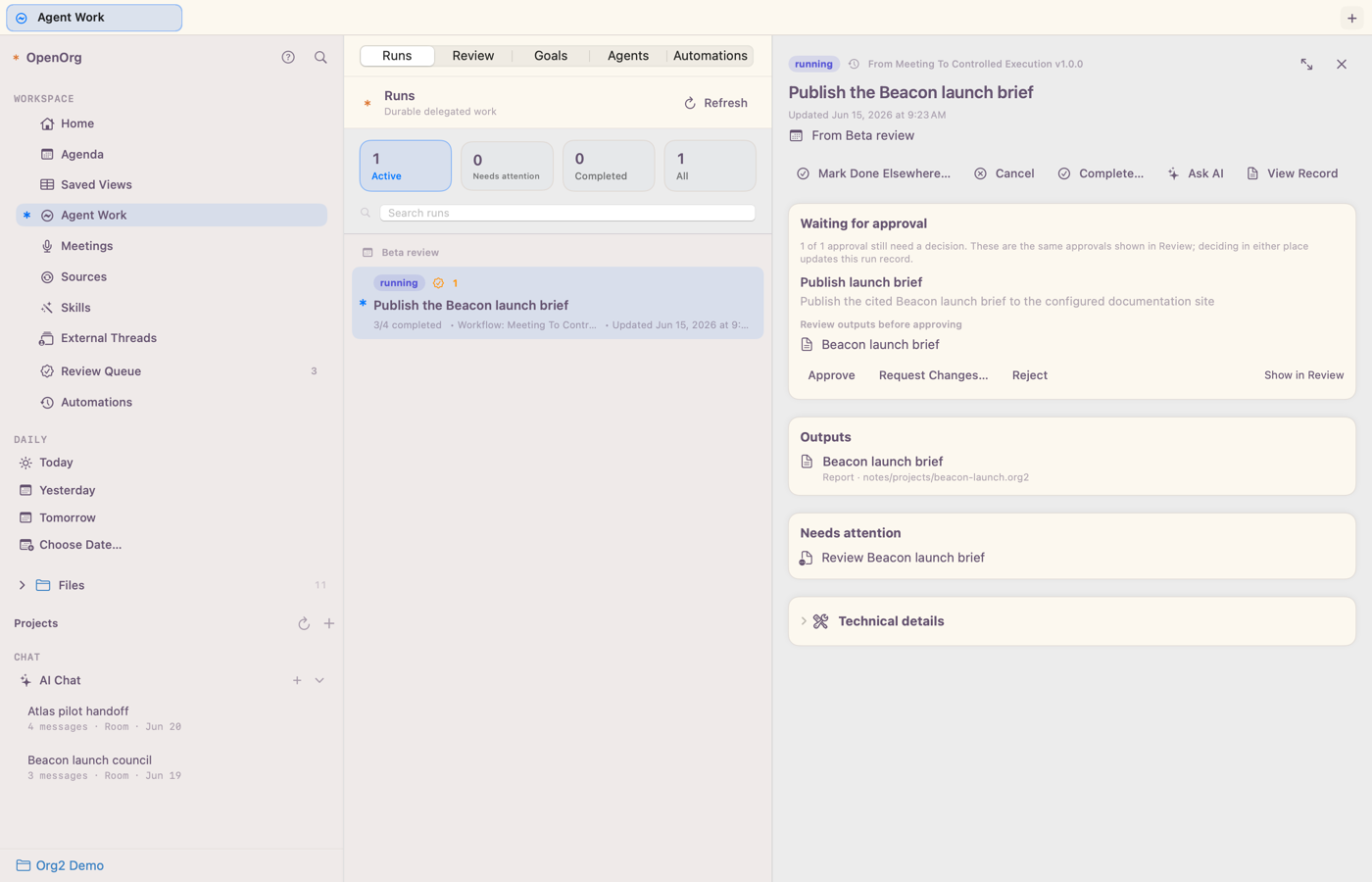
Selected context, citations, plans, outputs, validation, clarifications, and approvals stay together while the work moves. People can see what happened before approving a consequential action, and what evidence proves it finished.
Celorga works with the models and agent harnesses you already use. A shared AI room lets you bring any named local, remote, hosted, or self-hosted destination into one corpus-grounded conversation. Every participant sees the same bounded transcript, keeps its own identity and model, and answers inside one visible agent round.
@research, @writer, @local-model, or any destination you configure; @all asks every participant.@mention keep going to it; change the default from the composer at any time.@mentions another agent in the room, that agent takes the next turn. A per-room limit (four in a row by default) keeps agents from looping until you reply, and background jobs can ask a room agent to respond with celorga thread post --request-turn.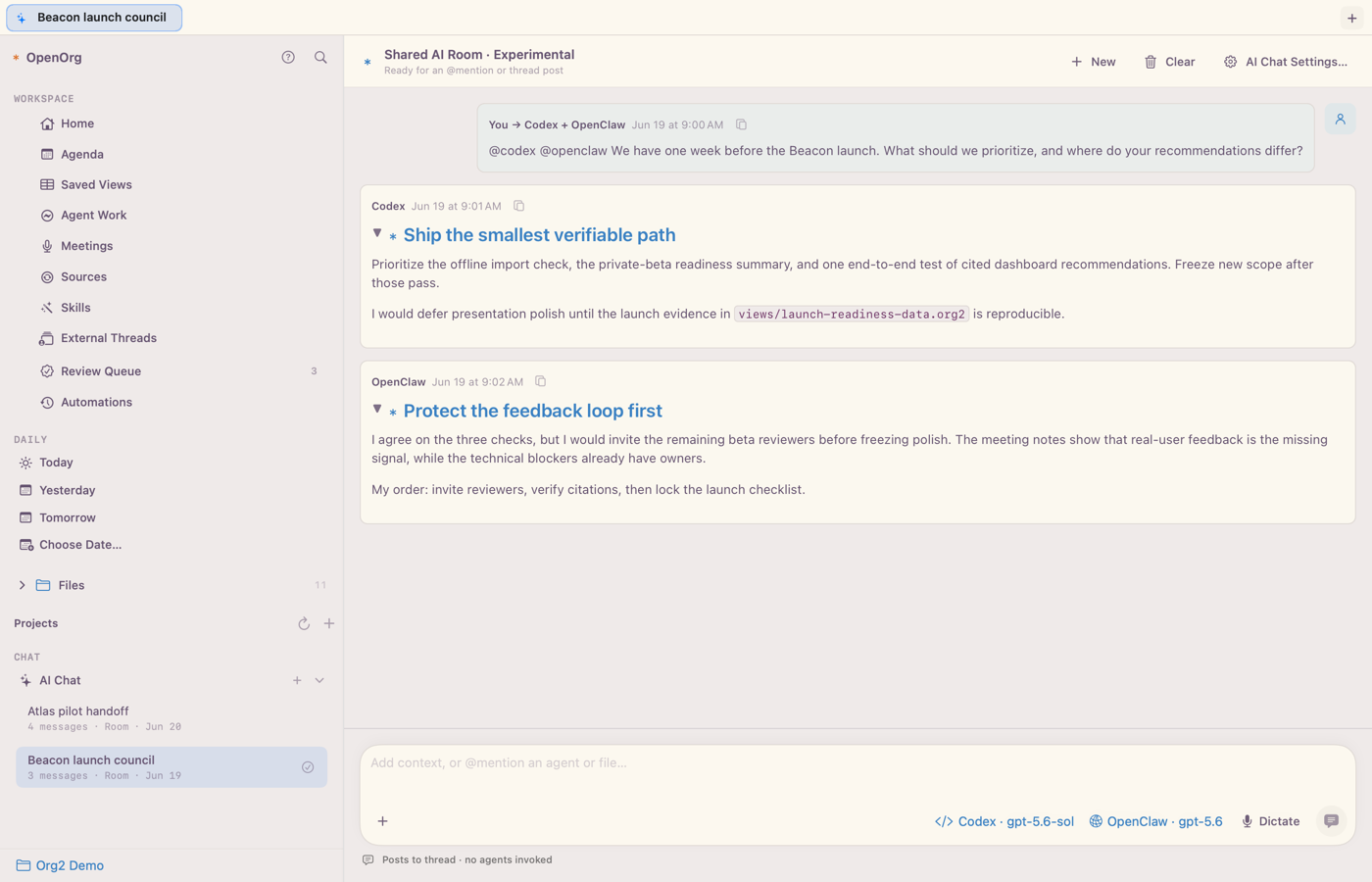
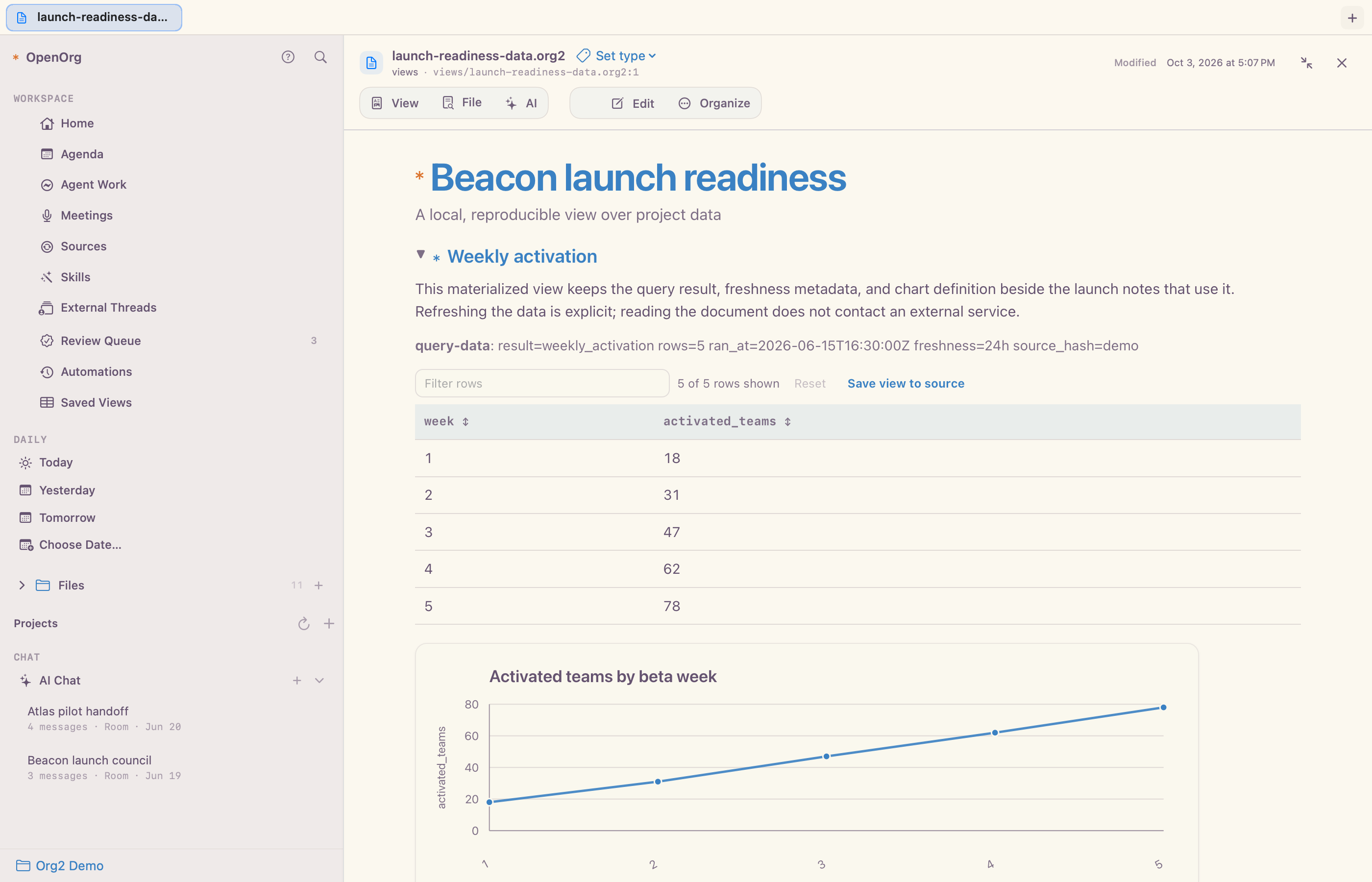
Celorga renders Org notes that declare local or configured remote datasets, reusable SQL views, materialized results, freshness policy, and deterministic charts. Refresh is explicit; merely opening or publishing a document never runs a warehouse query.
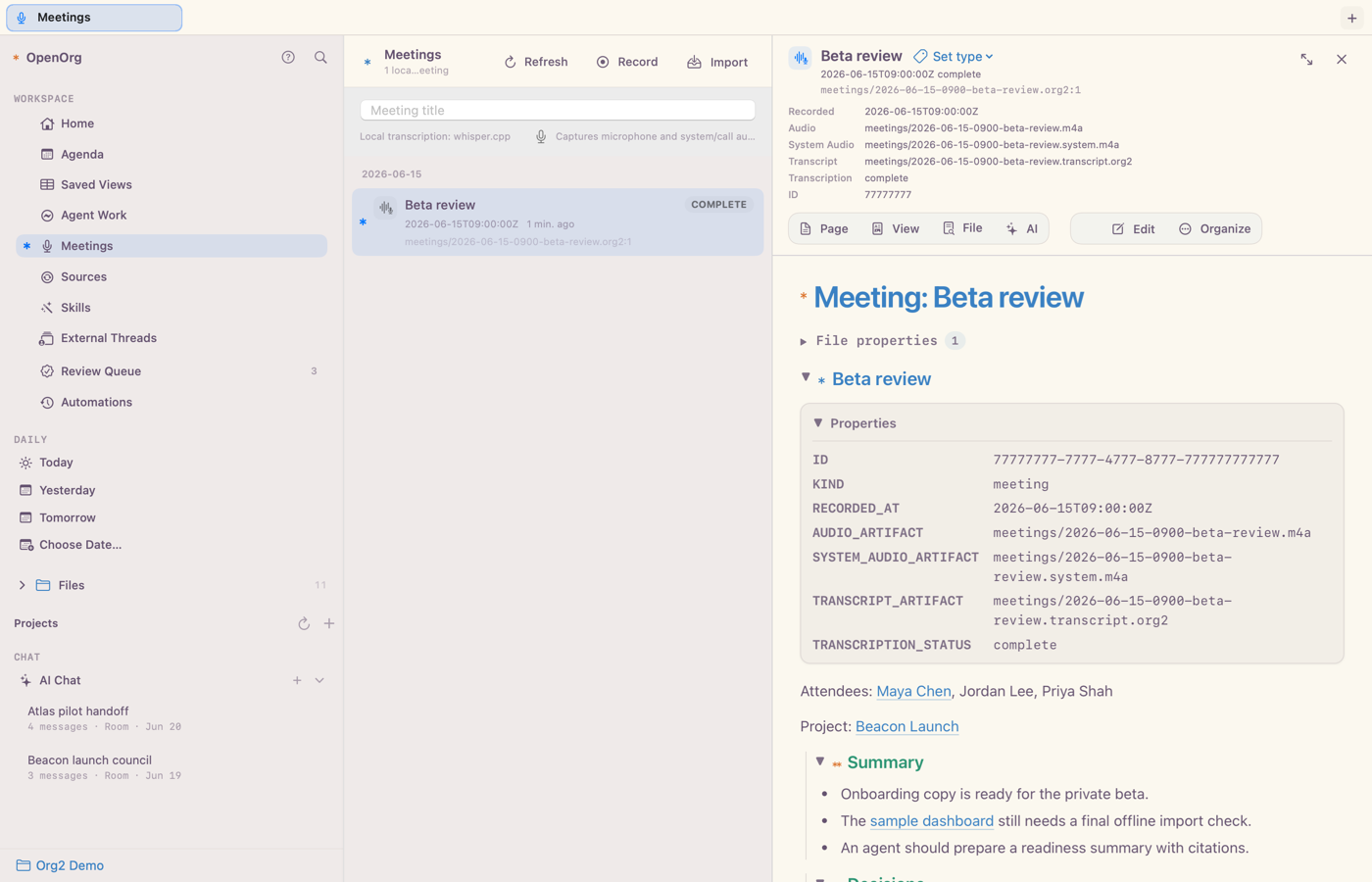
Celorga can record or import a meeting, keep audio and transcripts local, and render summaries, decisions, and follow-ups from ordinary files. Those records can then feed agenda items, cited agent runs, entity pages, and reports.
Connect systems such as Slack, Notion, and email, keep a local copy of the selected material, and decide what becomes part of your lasting notes.
Run a connector now, pause it, or choose a repeating interval or daily time.
Imported material remains inspectable while credentials stay in protected local storage.
Verify, redact, and select useful knowledge before treating it as canonical.
Agent work can finish as a talk, an evidence-backed analysis, a customer quote, marketing collateral, a shareable document, or a published site. The artifact stays connected to the source material and approvals that produced it without granting recipients access to the source corpus.
Develop the narrative beside its research, preview the deck in the Mac app, and export Beamer-compatible TeX or a presentation-ready PDF.
Turn approved source material into quotes, reports, and marketing collateral, then export a clean reading-layout PDF.
Share a disclosure-safe document as HTML, PDF, Beamer slides, Google Docs, Slides, or Sheets, share an AI chat thread as a live link from your Mac or a headless server, or publish a complete site.
A scan-friendly inventory of the broader surface available today.
Notes, tasks, links, tables, properties, and dates remain readable in ordinary files.
Agenda, daily notes, search, IDs, backlinks, people, projects, and graph views keep related work connected.
Local or remote agents can use cited context, create durable outputs, and pause for approval.
Build saved table and card views with property filters, sorting, grouping, and source-backed edits. Evaluate table formulas, build data notebooks and charts, export PDFs and slides, and publish sites.
Use Celorga on Mac and iPhone, work with the same files in other editors, and extend CLI commands, templates, or document rendering with plugins.
Local files stay canonical, writes are previewable, approvals are explicit, and plugin locks pin exact Git commits and SHA-256 contents.
Celorga for macOS is the primary product experience. The Celorga CLI, VS Code extension, language server, and file format provide independent developer surfaces for the same local corpus.
A dedicated macOS host can run the Celorga chat relay and automation scheduler from celorga server without a desktop window. It can expose a separately enabled read-only Streamable HTTP MCP endpoint for bounded, cited corpus search and retrieval, using one revocable hash-only bearer credential per client. iOS can save and select a Mac or server and sees the same conversations, live progress, and message provenance from either; a conversation keeps running on the host that owns its runtime session; each corpus has an explicit scheduler owner, and each execution host has an explicit local-agent filesystem policy. See Headless server setup for pairing, MCP access, permissions, login-service installation, and the current host boundaries.
Celorga also offers a default-off experimental Paste as Org command in the document Source editor, with local conversion, an editable preview, optional tiny-model structure suggestions, and explicit insertion. See macOS workspace.
The iOS Files tab supports local fuzzy search across pages, headings, and entry text, with parent-note previews and rendered entry/full-note navigation. See Editor integrations.
Every chat thread, durable run, and automation can explain itself: why it is working or waiting on you, which host and runtime reported that, the last heartbeat or transition, whether the state is live, cached, or uncertain, and the exact approval or question that blocks it. Explanations come from structured presence, transcript, and run records rather than terminal output. Celorga shows them in Activity's Explain Status inspector and a Hosts section covering the Mac, headless servers, and remote harnesses; agents and scripts use celorga activity explain, celorga activity events --follow, and race-free celorga thread wait / celorga run wait. See the tooling reference.
Celorga renders corpus HTML files as live web pages beside their source, and web links clicked in notes or chat open as pages in the same detail pane, with back and forward history like documents. Local development servers such as localhost:5173 and static web apps served read-only from a folder over loopback http open there too. See macOS workspace.
A project is one ordinary Org file containing its purpose, TODO actions, decisions, and source links. Celorga for macOS adds a colored sidebar group, linked chat filtering, and a shortcut to the note. Folders and tags remain independent ways to organize the corpus. Several chats and agents can share one project; a project describes the work, while an agent describes a worker.
The project note is the inspectable shared brief. Linking a chat includes a bounded snapshot of that note, not the history of other chats. Project grouping does not enforce access isolation or separate provider memory. The first project UI is available on macOS; the portable file and CLI are shared.
Celorga renders portable #+EMBED: references to whole notes and stable-ID heading subtrees inline, with source navigation, automatic refresh, and bounded cycle/missing-target handling. Use File → Live Embed… or the source editor's Insert menu. Content stays in the canonical source; rendering is read-only and shared with the runtime. HTML and reading-layout PDF exports retain references without fetching source content; Beamer export omits embed directives, while disclosure-safe publishing emits target-free omission markers. See Celorga for macOS and the command reference.
The Celorga Web Clipper saves articles or selected passages as portable .org2clip files. Choose a Reading note or Read later task template, preview the text, then import through the Mac Capture window. URL, available author and capture time are preserved alongside an immutable raw capture. See Mac installation and use and the CLI import contract.
Completed HTML source blocks render as live, sandboxed previews in AI chat and the document reader, with JavaScript, HTTPS resources, automatic sizing, and expandable source, so an agent can answer with an interactive board, simulation, or tool. Reviewed chat edits can save HTML files for opening as pages. See macOS workspace.